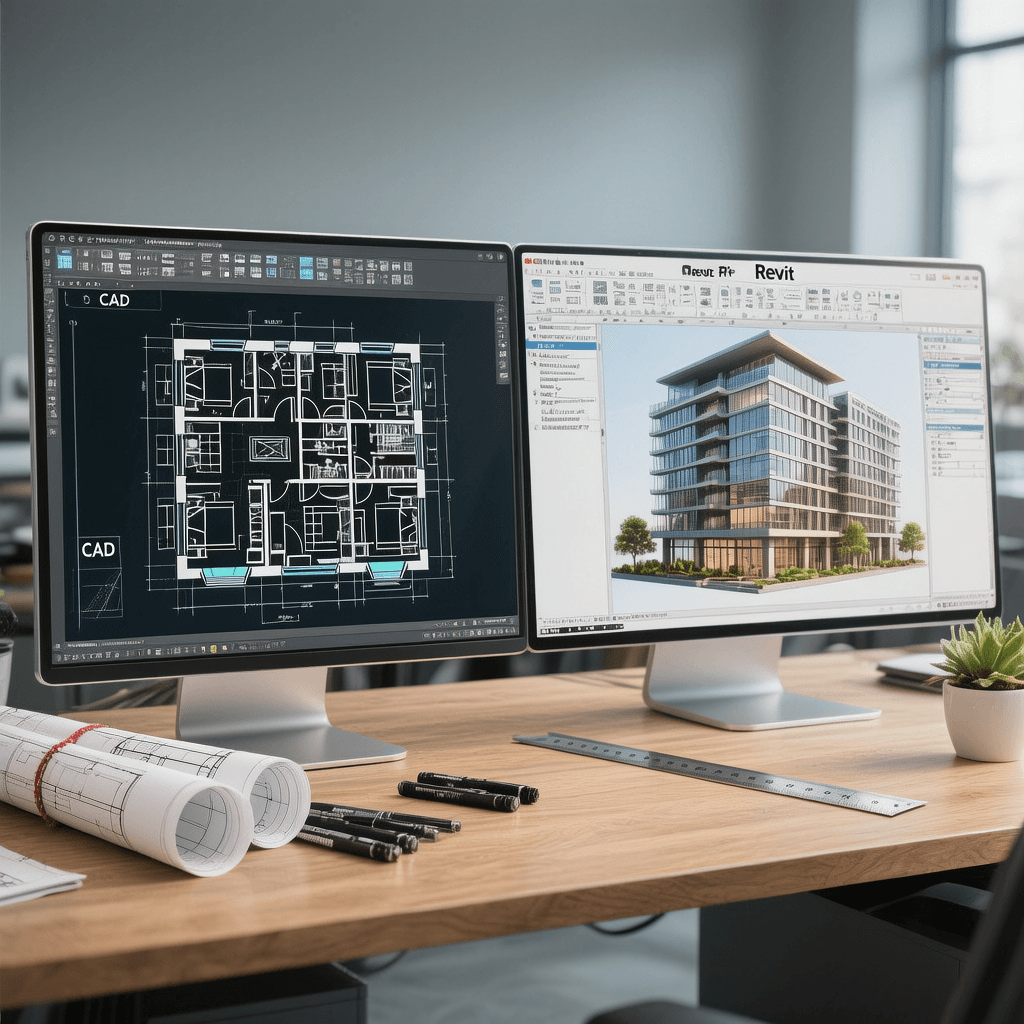

Yes, architects use both CAD and Revit, depending on the project. As an architect here at Archiconnect, I work with both tools almost every day.
Many people—whether homeowners planning to build, students dreaming of an architecture career, or clients needing design help—often wonder:
"Do architects use CAD or Revit?"
The short answer is: we use both.
But they help us in different ways.
Think of it like this: AutoCAD is the pen and paper of architecture—great for quick drawing plans and details in 2D.
Revit, on the other hand, is more like a smart 3D model that can talk back to you. It helps us plan, coordinate, and deliver better buildings using Building Information Modeling, or BIM.
Let me explain how we use each and when we choose one over the other.
Quick Answer: Architects Use Both CAD and Revit
Architects use AutoCAD for 2D drafting—like floor plans and construction drawings. We use Revit for 3D modeling & BIM—which lets us make smarter, faster decisions on bigger or more complex projects.
In our real-world workflow at Archiconnect, we often combine both.
For example, we might:
- Use CAD to create quick 2D layouts.
- Then move to Revit to build the full 3D model.
- Export Revit drawings for consultants who still use CAD.
What CAD (AutoCAD) Is Used For
2D Drafting and Technical Drawings
- AutoCAD is best for drawing clean 2D floor plans, elevations, and sections.
- We use it when we need high control and quick edits for details like walls, windows, doors, and more.
Ideal for Smaller or Simple Projects
- For small homes, interior reworks, and minor renovations, AutoCAD is fast and effective.
- We don’t need to build a full model—so it saves time.
Handling Legacy Drawings
- Many older buildings already have plans in DWG format (the file used in AutoCAD).
- We’ll often open these in AutoCAD to update or extend them. Very handy for renovations in Dhaka where many buildings are decades old.
Consultant Collaboration
- Not every consultant or engineer uses Revit.
- Some still work in AutoCAD. Using CAD helps us share files with them smoothly, especially for landscape, furniture, or signage design.
What Revit Is Used For
BIM-Based Collaboration
- Revit lets us work in one live model with engineers, contractors, and consultants.
- Everyone sees updates in real time—so mistakes are caught early.
Intelligent 3D Model With Auto Updates
- Change a wall in the model? All plans, sections, and quantity schedules update automatically.
- This reduces errors and saves time compared to manual drafting.
Data & Documentation Management
- Revit holds not just geometry, but also data—like material specs, fire ratings, and quantities.
- This helps clients plan budgets and manage buildings after construction.
Best for Large or Complex Projects
- For apartment buildings, offices, hospitals, and government or industrial sites, Revit is essential.
- Many clients now demand BIM deliverables—and Revit fits that need.
CAD vs. Revit: When Architects Choose One Over the Other
When CAD is More Practical
- Quick, simple layouts
- Renovation of old buildings
- When clients don’t need BIM
When Revit is the Better Option
- Projects involving multiple disciplines (like structure or plumbing)
- Need for 3D coordination or clash detection
- Clients want digital twins or smarter documentation
When Both Are Used Together
At Archiconnect, we often:
- Draft details in CAD and import them into Revit
- Build the model in Revit, then export plans to consultants still on CAD
- This makes sure everyone on the project stays aligned.
Industry Trends
- Across the world—including here in Bangladesh—BIM and Revit are becoming the standard.
- Many construction firms, especially for larger buildings, already require BIM.
But AutoCAD isn’t going away yet. It’s still widely used for 2D work and by many consultants.
Firms like Archiconnect offer transition support for those moving from CAD to Revit workflows.
Recommended System Requirements (Brief)
For AutoCAD
- 8GB RAM (minimum)
- Mid-range GPU
- Any recent i5 or Ryzen 5 processor
For Revit
- 16–32GB RAM recommended
- Dedicated GPU (NVIDIA Quadro or GeForce)
- i7 or Ryzen 7 for smooth 3D modeling
Students or beginners?
Start with a laptop with 16GB RAM and a mid-tier GPU (like GTX 1660). That works for both software.
Which Software Should a Future Architect Learn First?
Start with AutoCAD to understand drafting basics and architectural standards. Then move on to Revit to learn modern design workflows.
Most architecture firms, including ours, expect skills in both.
If you're a student in Bangladesh, mastering these tools can really improve your job prospects.
Learn More: Are Architects in Demand?
How Our Architectural Team Uses CAD and Revit
From the Architects Behind Archiconnect
At Archiconnect, our architects use CAD for 2D speed, and Revit for intelligent BIM modeling.
- For small homes and interior changes, we often start in CAD.
- For multi-story homes, offices, or commercial buildings, we use Revit to model in 3D and collaborate better.
- We export drawings to formats all consultants can use.
This hybrid method helps us:
- Deliver faster results
- Keep costs within budget
- Reduce on-site mistakes
Want to see how we can support your next project? Visit our Architect service page.
Conclusion
To sum it up: Architects use both CAD and Revit—not one or the other.
- We use AutoCAD for 2D precision and simpler projects.
- We use Revit for collaboration, intelligence, and large-scale design.
- Often, we use both, depending on project needs.
If you’re a client, student, or someone planning a building in Bangladesh, I’d recommend learning both or working with a team like us who already master them.
FAQs
Q: Do architects use Revit?
Yes, especially for large or complex projects. Revit helps with coordination, BIM, and 3D modeling.
Q: Is Revit better than AutoCAD for architecture?
It depends. For big projects with many systems, Revit is better. For small or fast drafting, AutoCAD still works well.
Q: Do architects still use CAD?
Yes. CAD is still common for floor plans, old drawings, and consultant coordination.